



A $1,500 portable power station selling for $700 used seems like a steal—until it fails during a blackout or worse, starts smoking. The secondary market for these devices is booming, but unlike used cars where wear is visible, power stations hide their problems beneath sleek casings. While quality units can last 5-7 years with proper care, abused batteries become expensive paperweights or safety hazards. In this article, we’ll guide you through professional-grade inspection techniques that even most sellers don’t know, helping you distinguish between a bargain and a time bomb.
- Battery Health: The #1 Concern
How to Check Remaining Battery Capacity
Start by asking the seller to fully charge the station, then run a consistent 100W load (like a light bulb) while timing how long it lasts. A 500Wh unit should power this for about 5 hours—if it dies in 3, the battery has lost 40% capacity. Bring a USB power meter to check actual output versus display readings; discrepancies over 10% indicate failing sensors. Most stations track “cycle count” in settings—under 300 is excellent for lithium-ion, over 800 means imminent replacement. Remember: capacity fades like a phone battery, just slower—a station at 70% original capacity won’t suddenly improve.
Signs of Lithium Battery Degradation
Press gently on the battery compartment—any bulging means immediate rejection (swollen cells risk thermal runaway). Sniff the vents—a sweet, chemical odor suggests electrolyte leakage. Check if the station balances cell voltages (visible in advanced settings)—variations over 0.2V between cells predict premature failure. During charging, feel for uneven heat spots—one hot area indicates damaged cells. These warnings are like a car’s check engine light—ignorable until catastrophe strikes.
- Essential Physical Inspection Points
Examine ports for discoloration (brown/black marks mean past overloads) and try every plug—loose connections suggest heavy use. Open any service panels (with permission) to check for corrosion—white powder on metal parts signals water exposure. Inspect cooling vents for dust mats—excessive buildup implies poor maintenance. Test all buttons—sticky or unresponsive controls may indicate liquid damage. The casing should sit perfectly flat on a table—warping suggests previous overheating. Like checking a used car’s undercarriage, these physical signs reveal hidden abuse.

- Performance Testing Must-Dos
Bring three devices: a phone charger (10W), laptop (60W), and hair dryer (300W if the station claims 500W+). First test ports individually, then simultaneously—flickering lights or unexpected shutdowns reveal overtaxed circuits. Listen for abnormal fan noises—screeching bearings won’t last. Time how long the inverter takes to activate—delays over 2 seconds suggest capacitor wear. Check if the station maintains voltage under load—a multimeter should show less than 5% drop from no-load to full-load. These tests mimic daily use better than any spec sheet.
- Safety Certification Verification
Legitimate stations have visible UL, CE, or PSE marks—not just stickers but embossed or printed directly on casing. Ask for certification documents—counterfeits often Photoshop these. Search the FCC ID (usually near ports) online—invalid results mean dangerous knockoffs. Open the manual (or download it)—missing safety warnings or poor English indicate substandard units. These certifications are like a restaurant’s health grade—you wouldn’t eat somewhere with an “F,” no matter how cheap.
- Warranty and Support Transfer
Only 30% of manufacturers honor warranties for second owners—always call their support with the serial number before buying. Ask for original purchase receipts—no proof means no help if firmware bricks the device. Check if the model still receives updates—abandoned software risks compatibility issues. Some companies charge 40-60% of retail price for out-of-warranty battery replacements—factor this into your offer. A transferable warranty is like a home’s title insurance—without it, you’re assuming all risk.
6: Where to Buy (And Where to Avoid)
eBay and Facebook Marketplace have the most scams—avoid listings with stock photos only. Craigslist sellers often don’t know cycle counts—meet at a library to use their Wi-Fi for diagnostics. Pawn shops sometimes sell recalled units—check CPSC.gov first. Specialty forums (like RV groups) offer the best deals—enthusiasts maintain their gear. Always use payment methods with fraud protection—no Venmo “friends and family” payments. Think of buying platforms like neighborhoods—some require extra vigilance.
7: When to Walk Away
Walk if the seller refuses a full discharge test or can’t explain why they’re selling. Reject any station that smells like smoke or shows error codes you can’t clear. Avoid units older than 3 years—even unused lithium batteries degrade. Steer clear of “homemade” or modified stations—improper wiring causes fires. If the price seems too good to be true (under 40% of retail), it’s probably stolen or broken. These red flags are like storm clouds—you might get lucky, but why risk it?
Conclusion
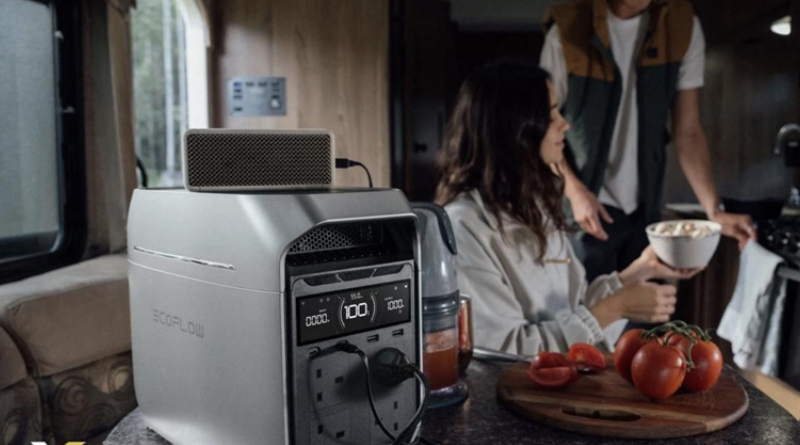
Used power stations can offer excellent value—if you know what to look for. Focus on units with verifiable low cycle counts, intact safety certifications, and transferable warranties. However, if you prefer to avoid potential risks, new models like the EcoFlow portable power station deliver reliable performance with full manufacturer support, reducing the likelihood of issues and ensuring dependable warranty coverage. Remember: when buying pre-owned, you’re not just saving money—you’re investing time in careful inspection to avoid turning your next power outage into a costly disaster.